dgd88 App – Android APK Direct Download
Get the dgd88 App on your Android phone and play slots, crash games, live casino, and cricket betting without opening a browser. Version 3.4.19 · Free · 36 MB. No Google Play required.
Scan with your phone camera to download
dgd88 App vs Playing in Your Browser
Both work, but the dgd88 App gives you a few practical advantages on a mobile connection. Here is exactly what changes when you switch from Chrome to the installed app.
| Feature | dgd88 App (APK) | Mobile Browser |
|---|---|---|
| Loading speed on 4G | Faster – assets cached locally | Reloads on every session |
| Push notifications | Yes – bonus alerts, deposit confirm | No native push support |
| Quick access | Home screen icon, one tap | Find bookmark each time |
| bKash / Nagad deposit | Auto-redirects to mobile wallet | Manual app switch required |
| Live chat | Persistent widget, never resets | Resets when you change tabs |
| Game catalogue | All 4,700 games available | All 4,700 games available |
| Crash & Aviator | Smoother animation, less lag | Depends on device RAM |
| Offline launch | Opens without internet (lobby cached) | Requires connection |
| Auto-login | Stays logged in between sessions | Cookie expiry may log you out |
| File size | 36 MB one-time install | No install needed |
If you are on a tight data plan and mostly deposit via bKash, the app is the more convenient choice. If you prefer not to install anything, the mobile site at dgd88.ws works identically in terms of games and payments.
Install the dgd88 APK on Android – 5 Steps
The APK is not on Google Play. You need to allow your phone to install files from outside the Play Store. This takes about 60 seconds and only needs to be done once.
-
1
Allow installs from unknown sources
Go to Settings → Apps → Special App Access → Install Unknown Apps. Find your browser (Chrome, Firefox, or your file manager) and switch it on. This tells Android you are aware the file is not from Play Store. You can turn it off again after installation if you prefer.
-
2
Download dgd88.apk
Tap the Download APK button on this page. Your browser will save dgd88.apk (36 MB) to your Downloads folder. Keep your screen on and your connection stable while the file saves. If the download stops, tap the button again — partial downloads do not charge your wallet.
-
3
Open the APK file
Once the download completes, tap the notification bar or open your Files / Downloads app. Tap dgd88.apk. Android will show an install prompt. If it asks about unknown sources again, tap Settings and repeat step one for your file manager. Then press back and try again.
-
4
Tap Install and wait
Hit the Install button on the Android prompt. The process takes around 15–30 seconds depending on your phone's speed. Do not tap anything else while it runs. When you see App Installed, the dgd88 App icon will appear on your home screen automatically.
-
5
Log in or register
Open the app and tap Login if you already have a dgd88 account. First time? Tap Register and fill in your phone number, a password, and your preferred currency (BDT). Your welcome bonus of 165% applies on your first deposit, whether you register in the app or on the website.
iPhone / iOS Users
No APK needed. Use Safari to add dgd88 to your home screen as a web app.
-
1Open Safari
Go to dgd88.ws in Safari. Other browsers on iPhone do not support the Add to Home Screen feature.
-
2Tap the Share Icon
Find the rectangle-with-arrow icon at the bottom of Safari. Scroll the action sheet down until you see "Add to Home Screen".
-
3Add to Home Screen
Tap it, rename the shortcut to "dgd88" if you like, then confirm. The icon appears on your iPhone home screen.
-
4Open and log in
Tap the icon. The site opens full-screen, without Safari's address bar. Log in to your account as usual.
Is the dgd88 APK Safe to Install?
The APK is built and signed by dgd88 and distributed only through this page. Here are the four things worth knowing before you tap Install.
Official source only
Only download dgd88.apk from this page at dgd88.ws/dgd88-app/. Files shared via WhatsApp groups, Telegram bots, or third-party APK sites may be modified. The file on this page is the only version we maintain and update.
What permissions the app needs
The app requests: internet access (required to load games), storage (save your login token), and notification permission (optional — only for bonus alerts). It does not request contacts, camera, microphone, or location. You can review permissions in Settings → Apps → dgd88 at any time.
How updates work
When a new version is available, the app shows a banner inside the lobby prompting you to download the latest APK. You will never be forced to update mid-session. Current version: 3.4.19, updated 03 Nov 2026. Check this page for the most recent file.
Your account stays secure
The dgd88 App connects to the same account as the website. Your password, balance, and transaction history are identical across both. Enable your phone's screen lock to prevent anyone else from opening the app. If your phone is lost, contact [email protected] immediately to freeze your account.
Play Everything Inside the dgd88 App
The app gives you full access to all 4,700 games across six categories. Here are the main sections you will find in the lobby.
Slots
Thousands of slot titles from Pragmatic Play, JILI, PG Soft, and others. Super Wheel (RTP 97.6%) and Genie 3 Wishes (RTP 97.3%) are consistently among the top played. Bet from as low as ৳1 per spin.
Crash Games
Aviator and other multiplier crash titles from Spribe. Watch the multiplier climb and cash out before it crashes. The app renders the real-time graph more smoothly than a mobile browser tab on the same device.
Live Casino
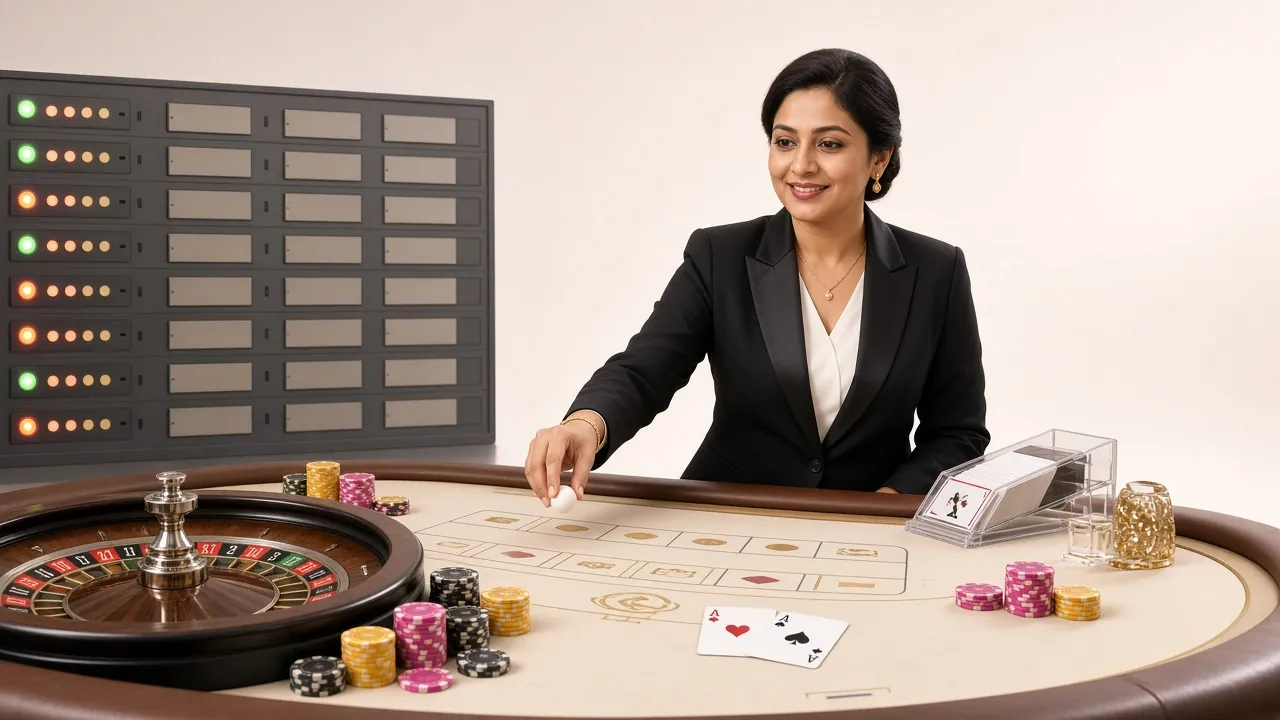
Streamed live tables including European Roulette Pro (RTP 97.8%) and European Blackjack from Red Tiger and Sexy Gaming. HD streams load within seconds on a standard 4G connection.
Cricket Betting
Pre-match and in-play markets for BPL, IPL, T20 World Cup, and ODI series. Bet on match winner, top batsman, over/under runs, and more. Odds update live inside the app.
Fishing Games
Skill-based arcade games like King of Fishing from PG Soft. Shoot fish to earn points that convert to real ৳. Great for playing in short sessions between matches or during commutes on the Dhaka Metro.
Deposit & Withdraw
Deposit with bKash, Nagad, Rocket, or Bank Transfer. Minimum ৳250, funds arrive in 2 minutes. Withdraw from ৳1,200 and receive within 7 minutes. The deposit guide walks through each method step by step.
Version Details & Direct Download
Direct download from dgd88.ws. No account required to download — only to play.
| App Version | 3.4.19 |
| File Name | dgd88.apk |
| File Size | 36 MB |
| Min. Android Version | Android 7.0 (Nougat) and above |
| Last Updated | 03 November 2026 |
| Price | Free |
| Languages | English / Bangla |
| iOS Support | Web App via Safari (Add to Home Screen) |
| Total Games | 4,700+ |
| Min. Deposit in App | ৳250 via bKash, Nagad, Rocket |
Fix Common APK Install Problems
Most install failures have a quick fix. Find your error message in the table below and follow the solution. If the problem persists, contact 24/7 live chat from the website.
| Problem | Likely Cause | Solution |
|---|---|---|
| "Install blocked" message | Unknown sources permission not enabled for your browser or file manager | Go to Settings → Apps → Special App Access → Install Unknown Apps. Find the app you used to download the file (usually Chrome) and toggle it on. Then re-tap the dgd88.apk file. |
| Download stops at 60–80% | Weak mobile signal or Wi-Fi dropout during download | Move to a spot with better signal or connect to a stable Wi-Fi network. Delete the incomplete file from your Downloads folder, then tap the Download APK button again from this page. |
| "App not installed" error after tapping Install | An older version of the dgd88 App is already on your phone, or the downloaded file is corrupted | Uninstall any existing dgd88 App via Settings → Apps, then download the latest APK fresh. If the error continues, restart your phone and try once more. |
| App crashes immediately on launch | Device runs Android below 7.0, or insufficient free storage | Check your Android version in Settings → About Phone. Minimum required is Android 7.0. Also ensure you have at least 100 MB of free internal storage before installing. |
| Games load but login fails | Wrong password, account not yet verified, or network firewall | Use the dgd88 Login page on the website to confirm your credentials work. If you get a network error, switch between mobile data and Wi-Fi. Contact [email protected] if the issue continues. |
Download the dgd88 APK Right Now
-
Instant bKash & Nagad Payments
Tap to deposit and the app auto-redirects to your mobile wallet. No manual app switching, no copy-pasting numbers.
-
Push Alerts for Bonuses & Withdrawals
Get notified the moment your withdrawal clears or a reload bonus goes live — the browser version cannot do this.
-
Stays Logged In Between Sessions
No cookie timeouts. Open the app after two days and you are straight into the lobby — no password entry required.
-
Smoother Crash & Aviator on Low RAM Devices
Assets are cached locally after the first load, so the game animation stays fluid even on a mid-range Android.
File: dgd88.apk · SHA-256 checksum shown after download. Enable Install from unknown sources in Android Settings before installing.
dgd88 App – Questions & Answers
Is the dgd88 APK file safe? Will it harm my phone?
The APK hosted on this page is the official dgd88 build, signed with our certificate. It does not contain adware, spyware, or any code unrelated to running the platform. The permissions it requests are limited to internet access, local storage, and optional notifications. If you download the file from any other source (WhatsApp, third-party sites), we cannot guarantee its contents. Always use the Download APK button on this page at dgd88.ws/dgd88-app/.
Why is the dgd88 App not on Google Play?
Google Play does not list real-money gambling apps in Bangladesh. This is a policy limitation on Google's end, not a reflection of the app's quality or safety. Thousands of players in Bangladesh install gaming APKs directly — it is a standard practice. The process is exactly what you would do to install any app that Google Play does not carry, and the unknown-sources permission is built into Android for this purpose.
How do I update the dgd88 App when a new version comes out?
When version 3.4.19 is superseded, the app will show a banner inside the lobby: "New version available — tap to update". Tapping it opens the browser and takes you directly to this download page. Download the new APK and install it over the existing one — your account data, balance, and preferences are stored server-side and will not be affected by the update. You do not need to uninstall first unless the installer specifically asks you to.
Can I use the same account on the app and the website at the same time?
Your dgd88 account is one account regardless of how you access it. Balance, bonus status, game history, and VIP points are all synchronised in real time. You can switch between the app and the browser mid-session without logging out. However, playing the same game simultaneously on two devices is not possible — the second device will take over the session, and the first will show a disconnection notice.
What happens to my bonus if I register through the app?
Registering through the dgd88 App and registering on the website are equivalent. Your first-deposit bonus of 165% (up to ৳15,000) is credited as soon as you make a qualifying deposit of at least ৳250. The 10x wagering requirement and 7-day validity period apply the same way in both cases. Visit the dgd88 Bonus page for the full terms on each promotion.
Can I deposit with bKash directly inside the app?
Yes. Tap Deposit in the app, choose bKash, enter the amount (minimum ৳250), and the app will redirect you to bKash's payment flow. After confirming the payment in bKash, your dgd88 balance updates within 2 minutes. The same process works for Nagad and Rocket. Bank Transfer takes longer and is handled by our payments team. See the dgd88 Deposit Guide for a detailed walkthrough of each method.
What if I accidentally delete the app — do I lose my account?
No. Uninstalling the dgd88 App only removes the app from your phone. Your account, balance, transaction history, and bonuses are stored on our servers and are completely unaffected. Simply re-download the APK from this page, install it, and log in with your existing username and password. Your account will be exactly as you left it. If you have forgotten your password, use the "Forgot Password" link on the login screen or contact [email protected].
App not installing? Chat with our support team right now. Average response time is under 2 minutes.
Open Live ChatDownload the dgd88 App Now
Free to install. 36 MB. Works on any Android 7.0 phone. Deposit with bKash from ৳250 and start playing in under 5 minutes.
18+ · Play Responsibly